The honest answer, then the good news.

How to switch back to classic Google Finance

Short answer: the toggle is gone and nothing on google.com restores it. Here is what actually works.

Free, and no password to create.One welcome email now, one at launch, nothing else — unsubscribe any time.

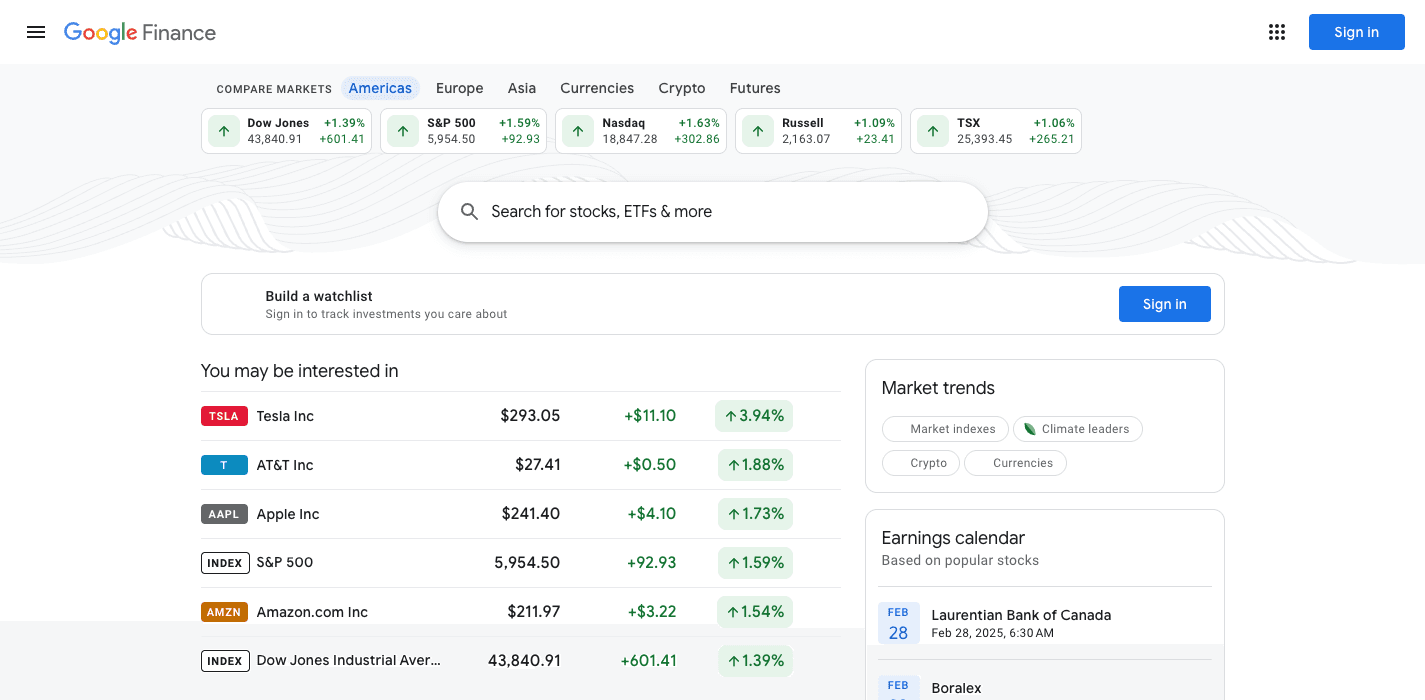
The real classic Google Finance homepage, archived February 2025: compare-markets chips, search bar, watchlist prompt, market trends and earnings calendar
The real thing: classic Google Finance (archived Feb 2025) — retired by Google on July 23, 2026
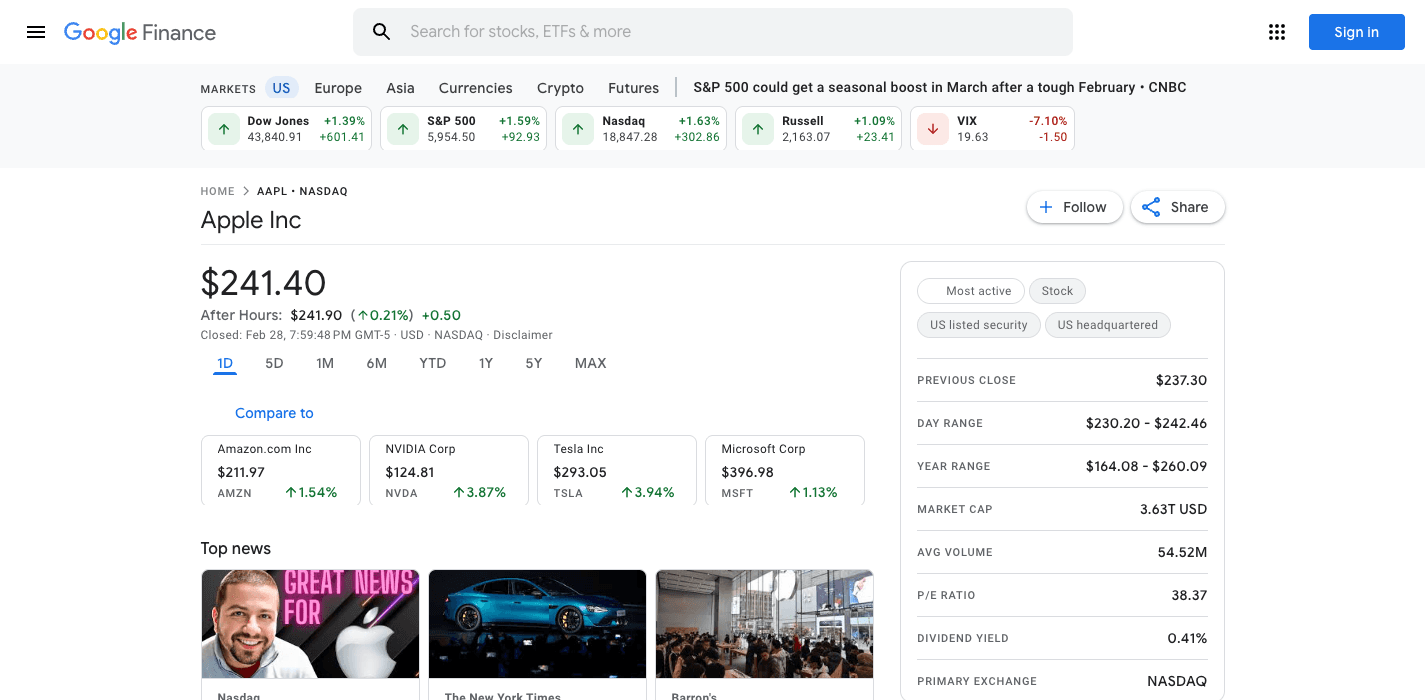
The real classic Google Finance quote page for Apple Inc, archived 2025: price, after-hours, key stats table and news, with no AI features
The real classic quote page: price, dense stats, news — and no AI anywhere
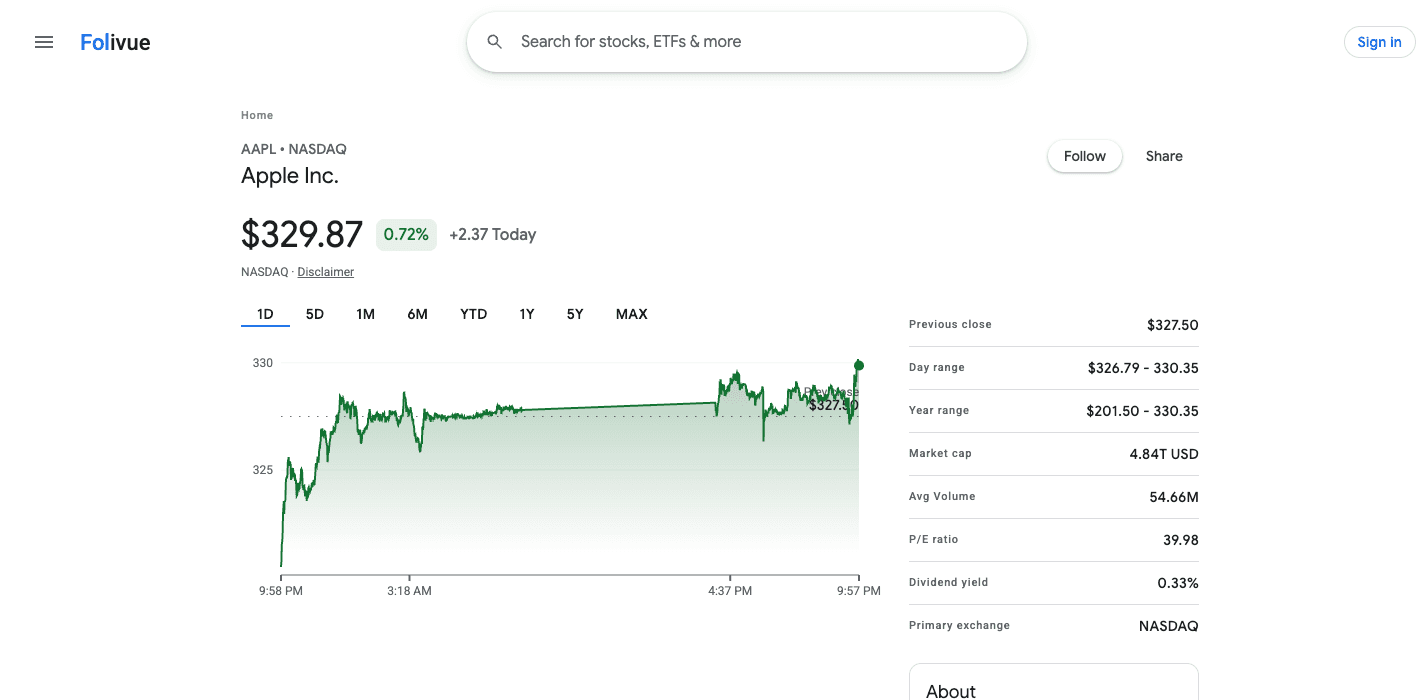
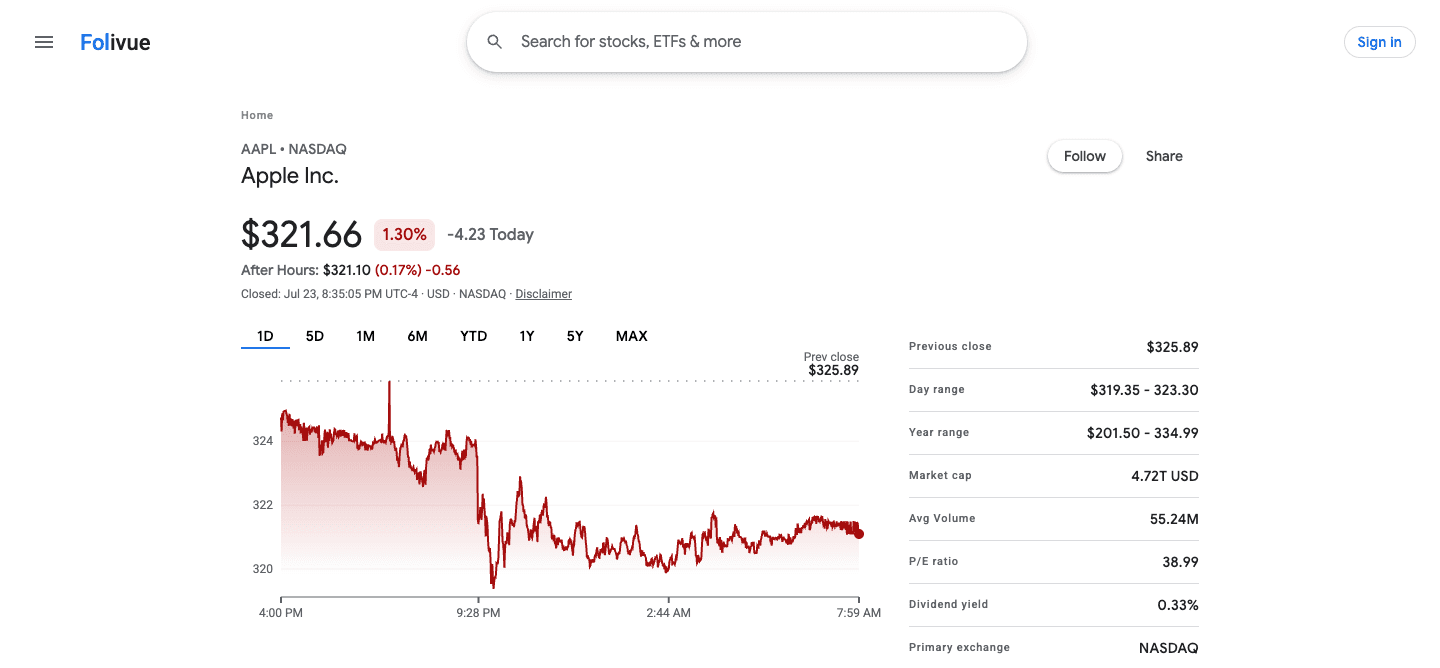
Screenshot of the Folivue rebuild of the classic quote page: Apple Inc price, green 1D chart and the key stats table above the fold
Folivue today: the same page, rebuilt — actual screenshot from our build

Not mockups — work in progress

See it for yourself. It's really back.

These are real screenshots from the Folivue build. Honestly: we are about 40% of the way there — some spacing, charts and features still need work before they match the real design — so give us one more week. Live market data underneath, no AI layer on top, and the rest of the classic view landing piece by piece.

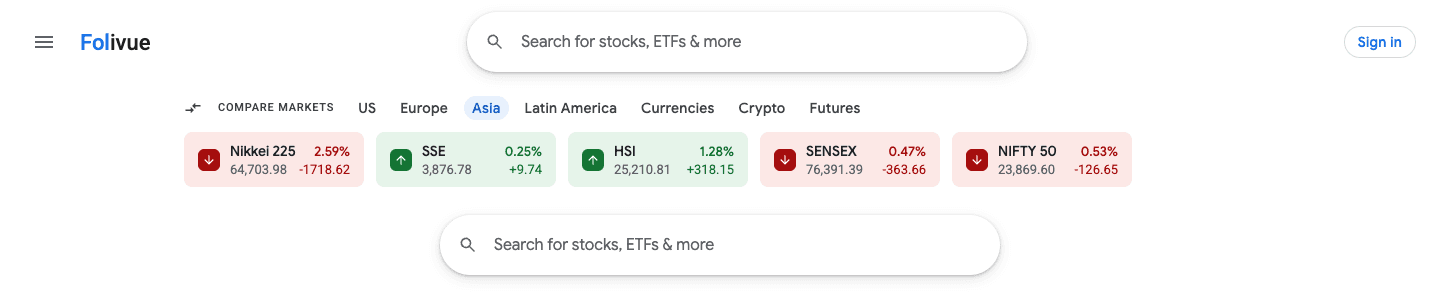
Screenshot of the Folivue markets homepage in the classic Google Finance style: compare-markets index chips for Nikkei 225, SSE, HSI, SENSEX and NIFTY 50, with the classic search bar
The markets homepage: index chips, world markets, and the search bar you remember
Screenshot of a Folivue quote page on a down day: red 1D chart, after-hours price, previous close line, and the dense key statistics table
Down days look like down days: after-hours, prev close, dense stats
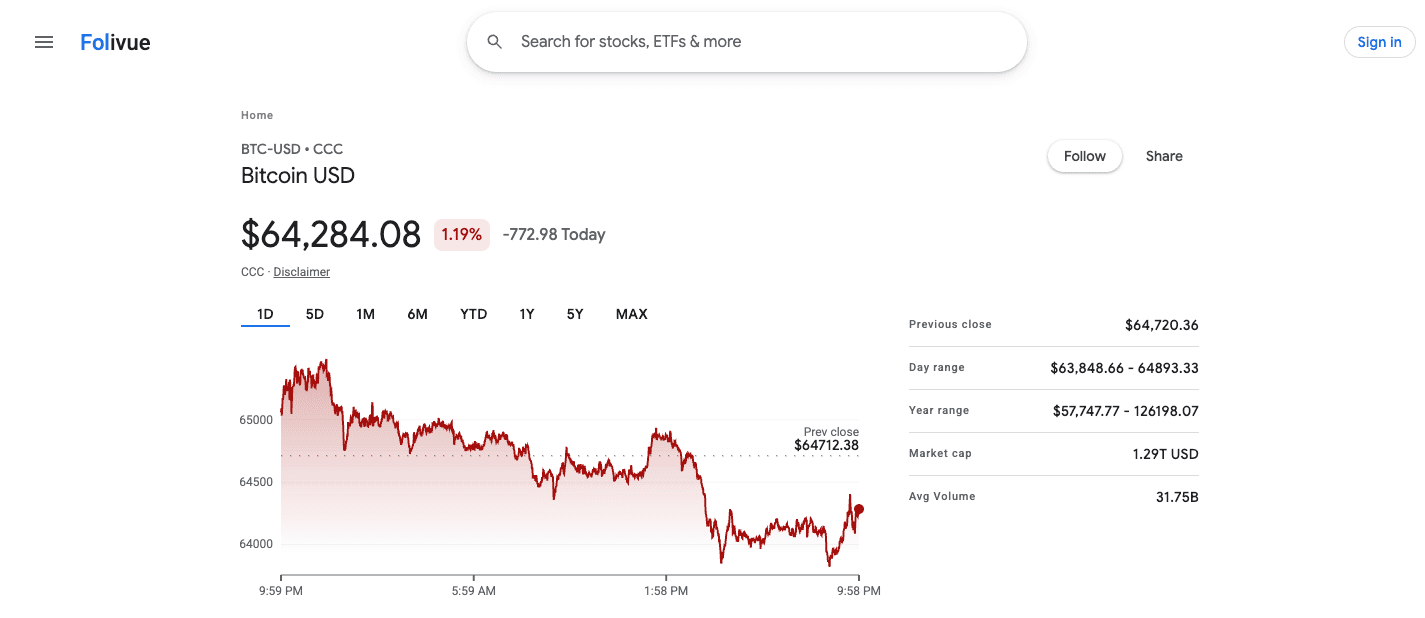
Screenshot of the Folivue Bitcoin USD quote page in the classic Google Finance layout with 1D chart and key stats
Crypto too: the same classic quote page, 1D to Max

Updated July 26, 2026

Until July 23, 2026, a link in the corner of the new Google Finance said Switch to classic Google Finance. If you are here, you probably watched it disappear. This page covers every method people have tried to get classic back, what each one actually does, and the one option that works.

Things people try, and why they fail

We tested the workarounds circulating on forums. None of them restore classic.

  • Old URLs like google.com/finance?classic: they redirect to the new version
  • Clearing cookies or using incognito: the redesign is server-side, not a preference
  • Changing your country or language: the rollout is global since April 2026
  • Browser extensions that restyle the page: they cannot restore removed features like the old portfolios
  • The Wayback Machine: static snapshots only, with stale data and broken links

The option that works: use a faithful rebuild

Folivue is an independent recreation of classic Google Finance: the same layout and workflow, live market data, no AI layer. It launches next week. Join the waitlist and switching back becomes a bookmark change.

Frequently asked questions

Is there any setting to switch back to classic Google Finance?

No. Google removed the classic toggle in July 2026 and there is no account setting, URL, or flag that restores it.

How do I go back to the old Google Finance?

You cannot on google.com. Every workaround people share, from old URLs to cookie tricks, redirects to the new AI version. The working way back is a rebuild: Folivue recreates the old page with live data.

Do browser extensions bring back classic Google Finance?

Extensions can restyle the new page but cannot restore removed functionality like classic portfolios or the old charts. They also break when Google updates the page.

What is the closest thing to classic Google Finance today?

Folivue, an independent rebuild of the classic interface with live data, launching next week.

Be first back into the classic view.

Launching next week. Join the waitlist and we will email you the day Folivue is live: folivue.com, the classic Google Finance experience, rebuilt.

One welcome email now, one at launch, nothing else.